mirror of
https://github.com/pgsty/minio.git
synced 2026-08-09 15:53:28 +03:00
 Feng Ruohang
5f4513fd40
Feng Ruohang
5f4513fd40
Co-authored-by: ChatGPT <noreply@openai.com>
Co-authored-by: Claude <noreply@anthropic.com>
31 lines
1.1 KiB
Markdown
31 lines
1.1 KiB
Markdown
# Bucket Quota Configuration Quickstart Guide [](https://slack.min.io) [](https://hub.docker.com/r/minio/minio/)
|
|
|
|
|
|
|
|
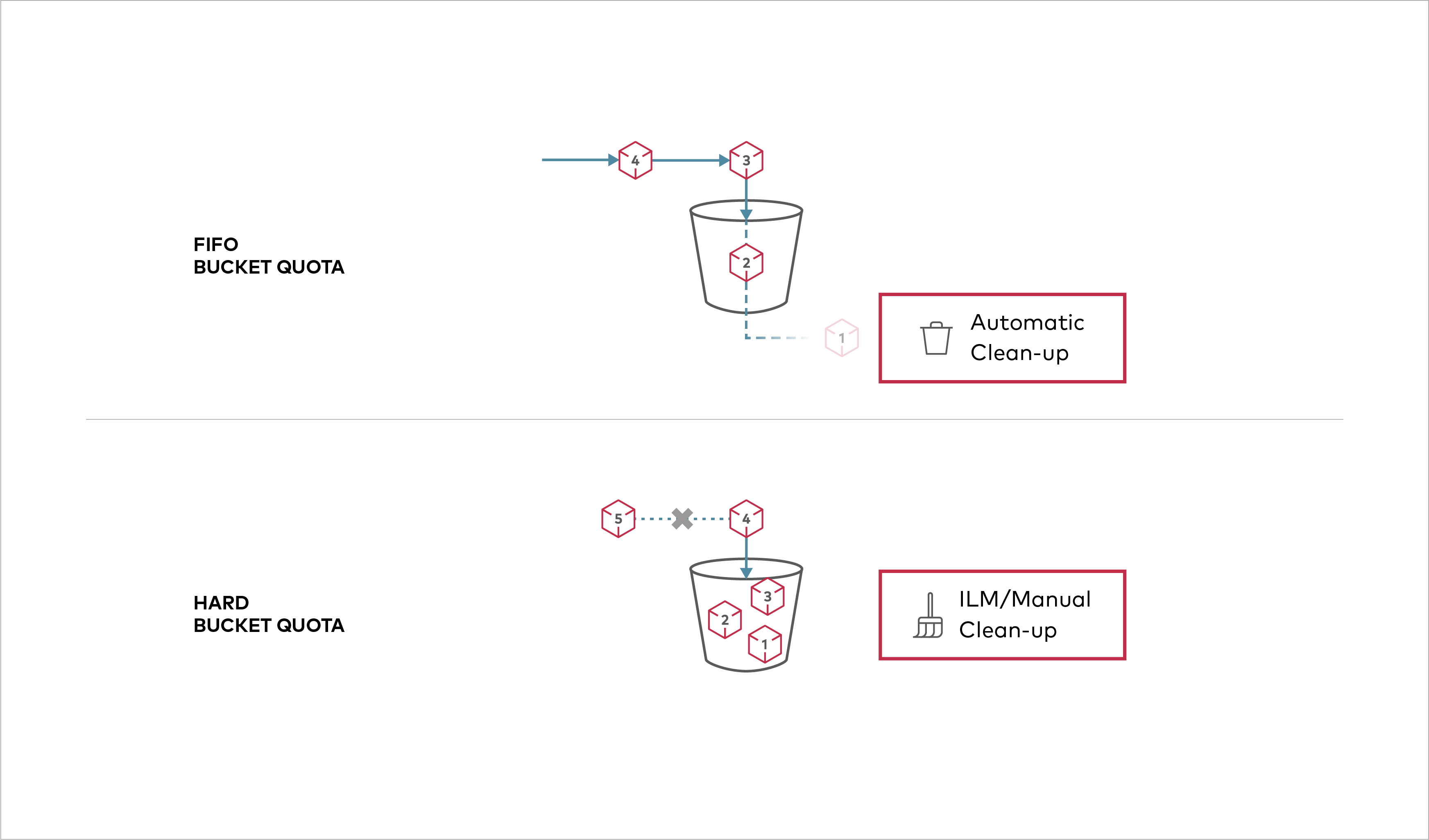
Buckets can be configured to have `Hard` quota - it disallows writes to the bucket after configured quota limit is reached.
|
|
|
|
## Prerequisites
|
|
|
|
- Install MinIO - [MinIO Quickstart Guide](https://silo.pgsty.com/operations/deployments/baremetal-deploy-minio-on-redhat-linux/#procedure).
|
|
- [Use `mc` with MinIO Server](https://silo.pgsty.com/reference/minio-mc/#quickstart)
|
|
|
|
## Set bucket quota configuration
|
|
|
|
### Set a hard quota of 1GB for a bucket `mybucket` on MinIO object storage
|
|
|
|
```sh
|
|
mc admin bucket quota myminio/mybucket --hard 1gb
|
|
```
|
|
|
|
### Verify the quota configured on `mybucket` on MinIO
|
|
|
|
```sh
|
|
mc admin bucket quota myminio/mybucket
|
|
```
|
|
|
|
### Clear bucket quota configuration for `mybucket` on MinIO
|
|
|
|
```sh
|
|
mc admin bucket quota myminio/mybucket --clear
|
|
```
|